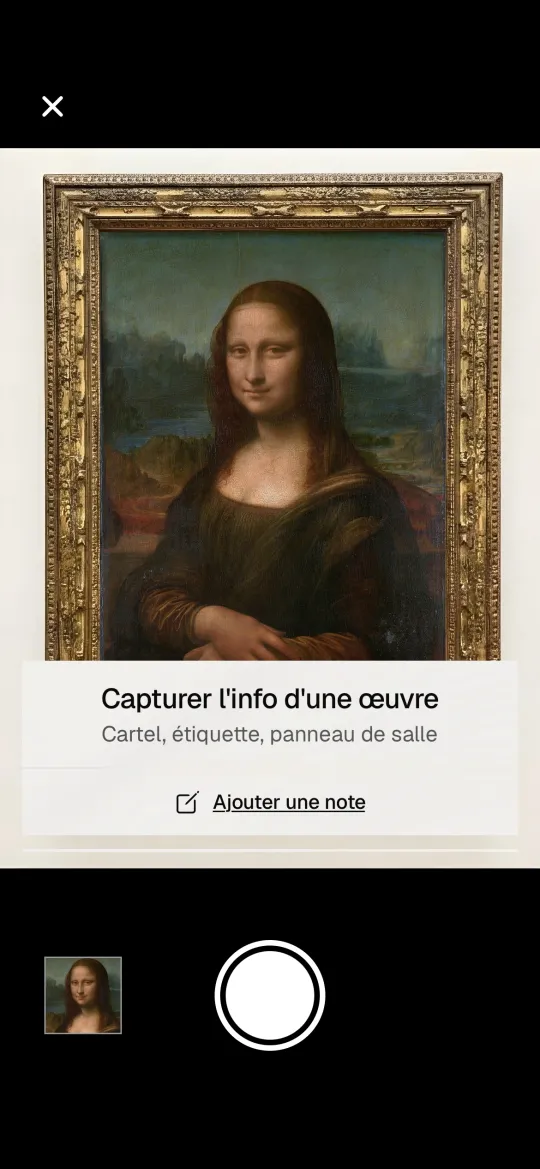
01 Capture
Take your photos. Your visit builds itself.
Take your photos as usual. Lisa Mona recognizes the venue, the exhibition and the artworks, and puts everything in a visit.
Take your photos, Lisa Mona curates them for you, intelligently. And discover the shows your friends loved.
Free, no ads. Invitation only, for now.
Coming soon to iPhone and Android.
Why Lisa Mona
At exhibitions, we photograph artworks, but never look at them again. At home, we discover art on social media, but we don't really look.
We created Lisa Mona to bring these two moments together.
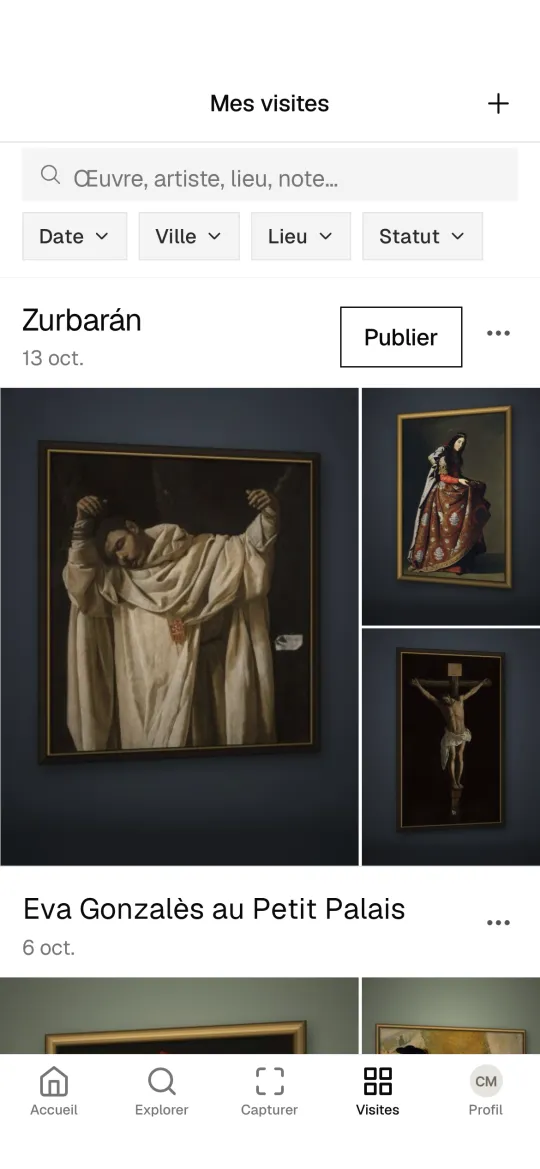
With Lisa Mona, your exhibition photos are kept visit by visit, in your journal. Find any artwork by artist, date or venue.
Every visit you share gives your friends ideas. You post yours, you discover theirs.
It's both your exhibition journal and your tool for choosing the next one.
No ads, no popularity contest: your exhibitions, and your friends'.
01 Capture
Take your photos as usual. Lisa Mona recognizes the venue, the exhibition and the artworks, and puts everything in a visit.
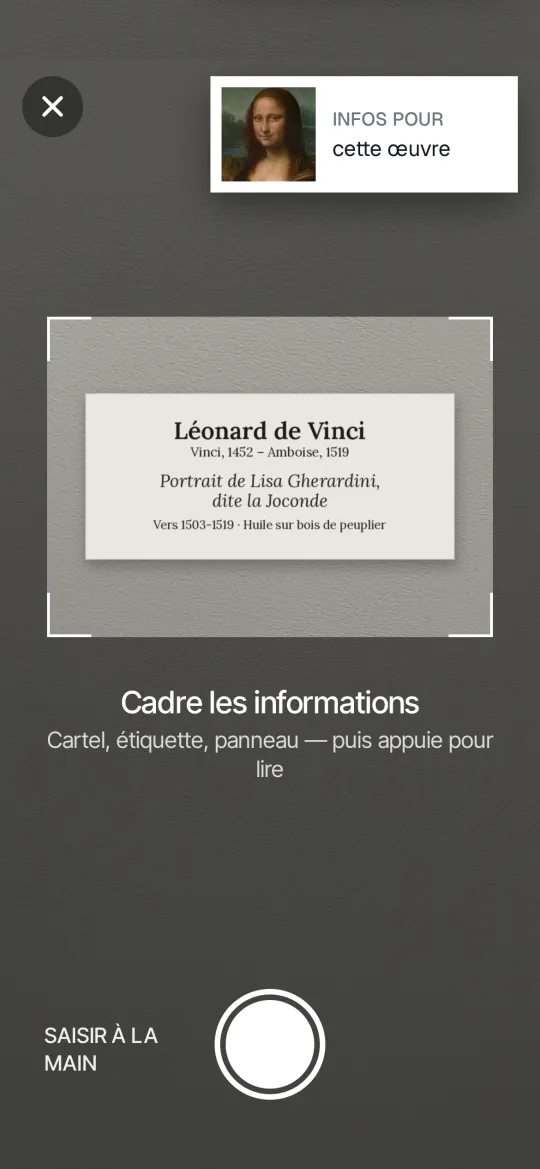
02 Wall label
Snap the wall label: Lisa Mona keeps all the details.
03 My visits
Your visits become your collection.
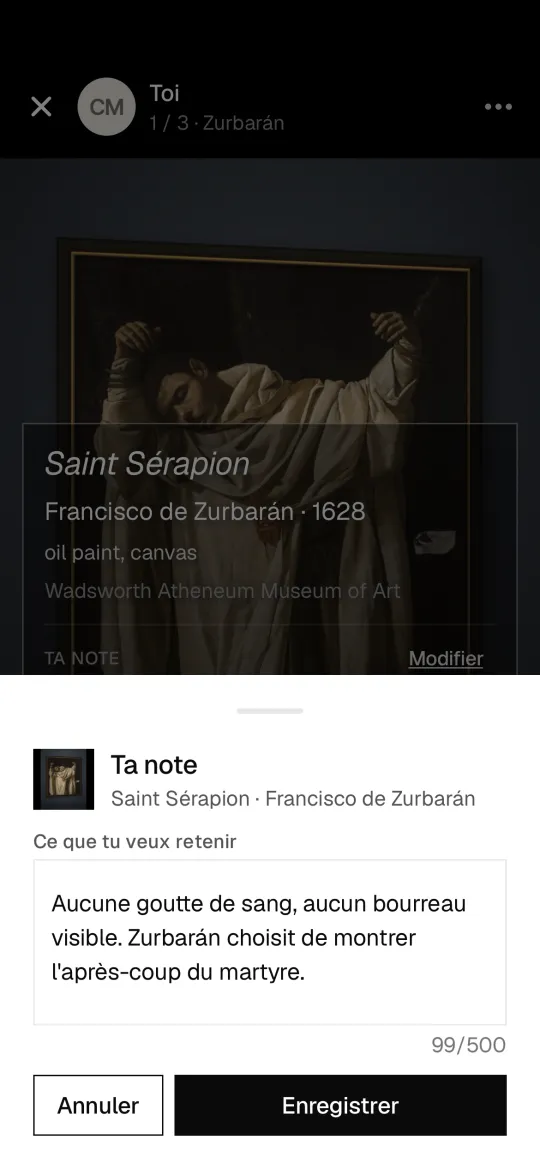
04 Note
Save an artwork, an artist, an exhibition or a venue, and add your own notes. You decide what you share and what you keep to yourself.
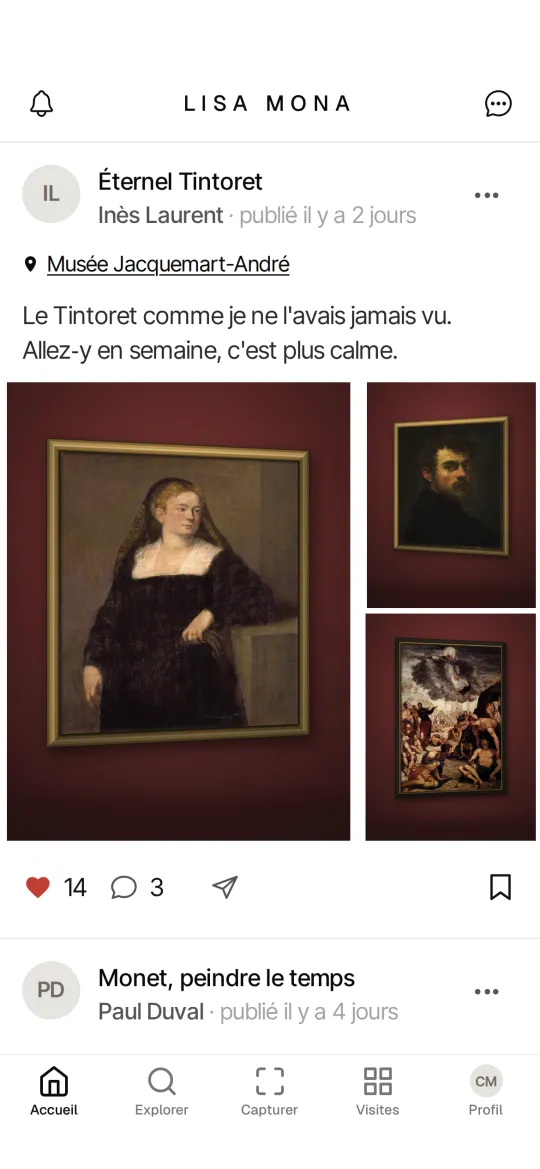
05 Friends' visits
See the exhibitions your friends visited and loved. For each one: dates, opening hours and a link to book.
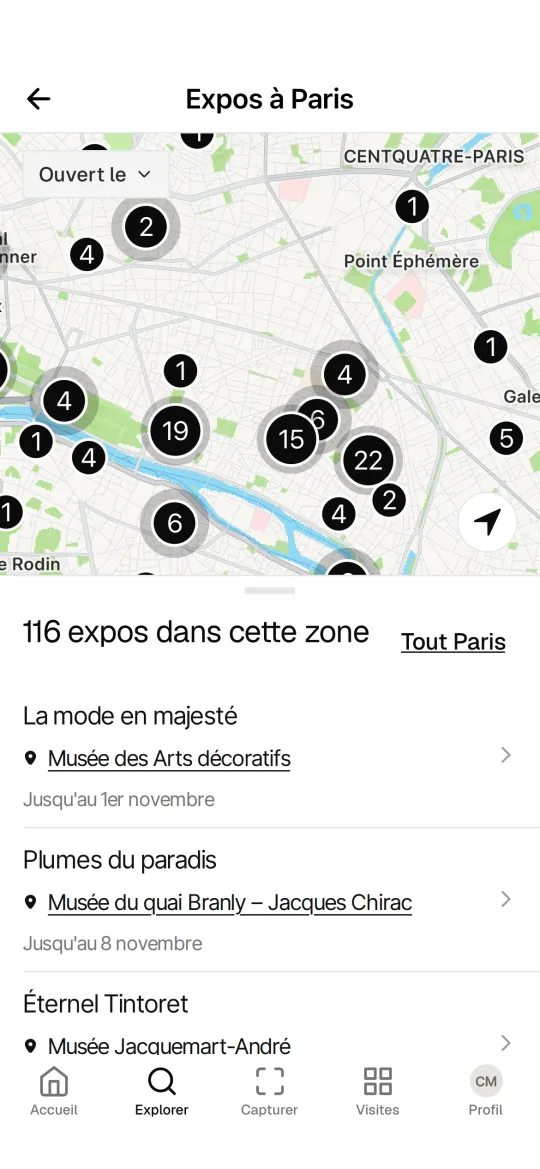
06 Exhibition map
For every exhibition venue, the current exhibitions, with their dates and a link to book.
By invitation
Lisa Mona opens by invitation, so you find people who love exhibitions, and have friends on the app from day one.
Free, no ads. Invitation only, for now.
Yes. Lisa Mona is free, with no ads.
Your location tells it which venue and exhibition you're in. It then recognizes the artwork in your photo, or reads its wall label.
It's only used to recognize the exhibition venue. We don't keep your precise location afterwards.
There's nothing to learn. You take your photos the way you already do, and the app sorts them out.
iPhone with iOS 16.4 or later, and Android 7 or later. Not on tablets yet.
You decide, visit by visit, what you share and what you keep to yourself. A private visit is visible only to you.
Are you an exhibition venue? Write to us: contact@lisa-mona.com